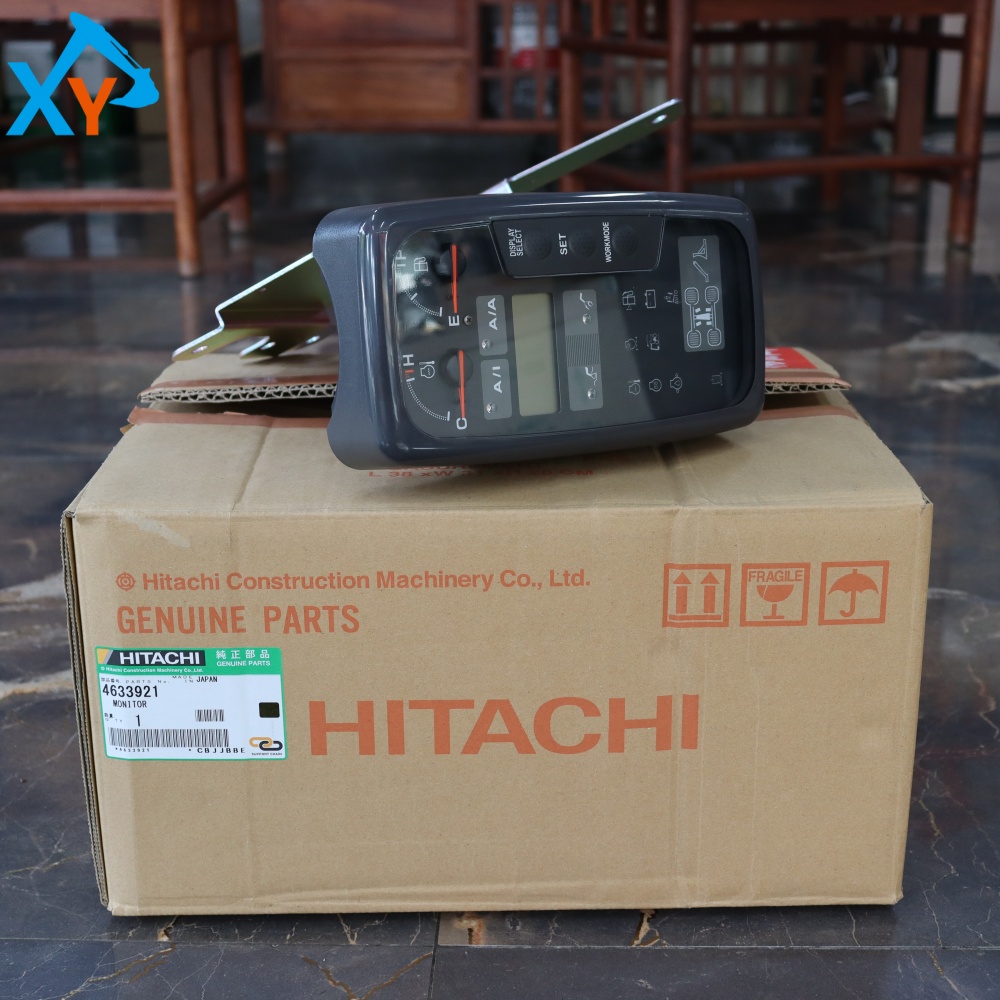
4633921 Excavator Monitor for ZX210W
| Part Number | 4633921 |
| Part Name | Monitor |
| Machine Model | ZX210W |
| Size(CM) | 39*32*21 CM |
| Weight | 1 KG |
Applicable models:ZX210W ZX160W ZX130W
Product Details
Product Description
| Part Number | 4633921 |
| Part Name | Monitor |
| Brand Name | HITACHI |
| Place of Origin | Japan |
| Delivery Time | 1-3 work days |
| Packaging Type | carton packaging |
Part number 4633921 is the original monitor (also known as dashboard/display) provided by Hitachi Construction Machinery for the ZX210W series 21 ton medium-sized hydraulic excavator. This component is mainly used for overall condition monitoring and information display, displaying key parameters such as engine speed, water temperature, oil pressure, hydraulic oil temperature, fault codes, and working hours in real time. Its universal models cover 21 ton models such as Hitachi ZX210W, ZX210-5G, ZX210-3, as well as some equivalent platform excavators such as ZX200-5G and ZX240-5G. As the core display unit of the original factory, its hardware interface and software protocol are precisely matched with the CAN bus of the whole machine. It is strictly prohibited to use non-standard auxiliary components to avoid abnormal data display, communication failures, or system false alarms.

This product is an original LCD display screen, usually using TFT-LCD technology, with a size of 5-7 inches and a resolution of 800 × 480 or higher. The shell material is engineering plastic, with a protection level of IP65 (dustproof and waterproof). Typical technical parameters: working voltage DC 24V, working temperature -30 ℃ to+85 ℃, adjustable backlight brightness, support for multilingual menu (including Chinese). The monitor has a built-in microprocessor that communicates with the engine ECU and hydraulic controller through the CAN bus, and can store fault history records and maintenance reminder data. Its software has parameter setting, diagnostic mode, and data export functions, and complies with the ISO 11783 agricultural and engineering machinery display standard.
Fault diagnosis: If there is a black screen, blurred screen, incomplete display, or button failure, the following steps should be followed to troubleshoot: 1 Check the power supply voltage (normal range 22-28V); 2. Check CAN bus communication (measure terminal resistance of 60 Ω); 3. Check the wiring harness plug for looseness or corrosion. Disassembly and installation: 1 Turn off the main power switch; 2. Remove the dashboard decorative cover; 3. Unplug the wiring harness plug behind the monitor (pay attention to the locking buckle); 4. Remove the fixing bolts (usually 4, torque 5-8N · m); 5. Clean the pins before installing the new monitor to ensure they are properly plugged in and locked. Parameter setting: After replacement, it is necessary to enter engineering mode (usually by simultaneously pressing F1+F2 to turn on), set the model code, language, unit system, and perform sensor calibration (such as water temperature and oil pressure).
Related Products
Call Us Now
+86 191 2466 1674
Contact Us
+86 191 2466 1674
No. 902, 9th Street, Zhuji International Machinery Parts City, No. 36, Zhuji Road, Tianhe District, Guangzhou
Request An Quote
Request An Quote